From Custavia · Remote input

Remotype Your phone is the keyboard now
Type and point from anywhere in the room.
Remotype turns the phone in your pocket into a real wireless keyboard and trackpad — with nothing to install on the computer. Search from the sofa, type a URL across the room, drive a terminal from your palm. Swipe typing, real shortcuts, real travel.
In beta, rolling out through the stores now. Write to us for early access — one email when it's live, nothing else.
How it works
Two phones, two superpowers.
The same app, tuned to what each platform does best — and either way, your keystrokes go from your phone to your computer and nowhere else.
A real Bluetooth keyboard.
Your phone connects as genuine Bluetooth HID — the computer sees an ordinary keyboard and mouse. No app, no driver, no server on the computer. Works with Windows PCs, Macs, iPads, Linux, smart TVs, even locked-down work machines.
Pair once in Bluetooth settings, tap Connect, type.
Connected · nothing to installWi-Fi, with a featherweight companion.
iPhones can't impersonate Bluetooth keyboards — Apple's rules. So Remotype pairs over your own Wi-Fi with Remotype Host, a free, tiny companion for Mac and Windows. Same keyboard, same trackpad, discovered automatically on your network.
Open the host, tap your computer's name on the phone, type.
Local network only · no cloudWhat it does
A precision tool, not a remote-app toy.
Machined keycaps with real travel, built to be used while your eyes are on the other screen.
Swipe typing, for your computer
Glide-type with the keyboard you already use — Gboard, QuickPath, any IME — and the words land on the computer. One thumb, 50–60 wpm.
Real keyboard shortcuts
Hold a modifier and tap for chords — Ctrl+C, Alt+Tab, Cmd+Space — or quick-tap to arm it for just the next key. A ring shows what's armed.
Multi-touch trackpad
Move, tap to click, two-finger scroll, two-finger right-click, pinch to zoom, hold to drag-select. Resizable pad, adjustable speed.
The full layout
Esc, Tab, arrows, Home/End, F1–F12 in a collapsible drawer, and media keys — volume, brightness, play/pause — all first-class.
Works where nothing else does
TV-connected PCs, presentation rigs, locked-down work machines that forbid installs — if it accepts a Bluetooth keyboard, it accepts you.
A connection that survives
On Android a quiet foreground service keeps the link alive through screen-off and app-switching, and reconnects to your last computer.
Made to be looked past
The MILLED interface: machined keycaps that press with real travel and instant feedback — designed for eyes-on-the-other-screen use.
Accessible, properly
Large text, screen readers, reduced motion — supported on both platforms, to the same standard as everything else we ship.
Collects no data. None.
No analytics, no accounts, no ads, no cloud. Keystrokes go from your phone to your computer and nowhere else — ever.
A quick look
Machined for the hand. Built for the room.
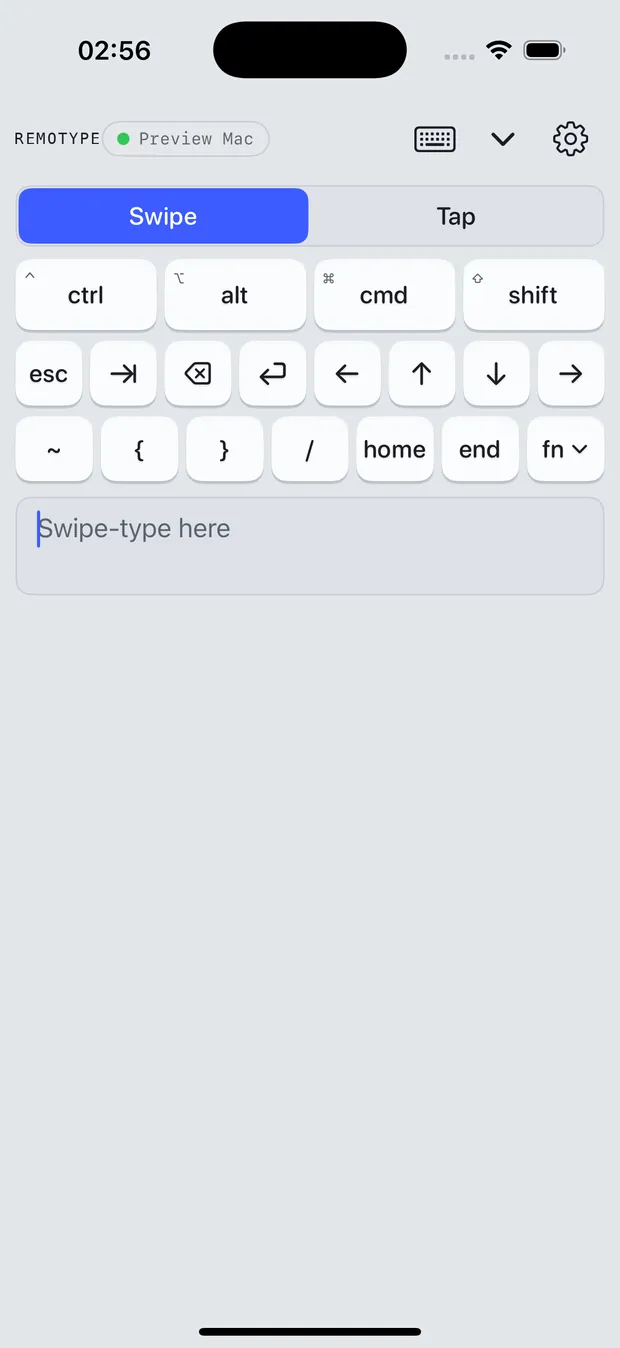
The deck
Modifiers up top, navigation underneath, your own swipe keyboard at the bottom. Keys press down with real travel and spring back — you can feel where you are without looking.
- Hold or quick-tap modifiers for chords
- Esc, Tab, arrows, Home/End in reach
- Swipe-type with autocorrect, one thumb
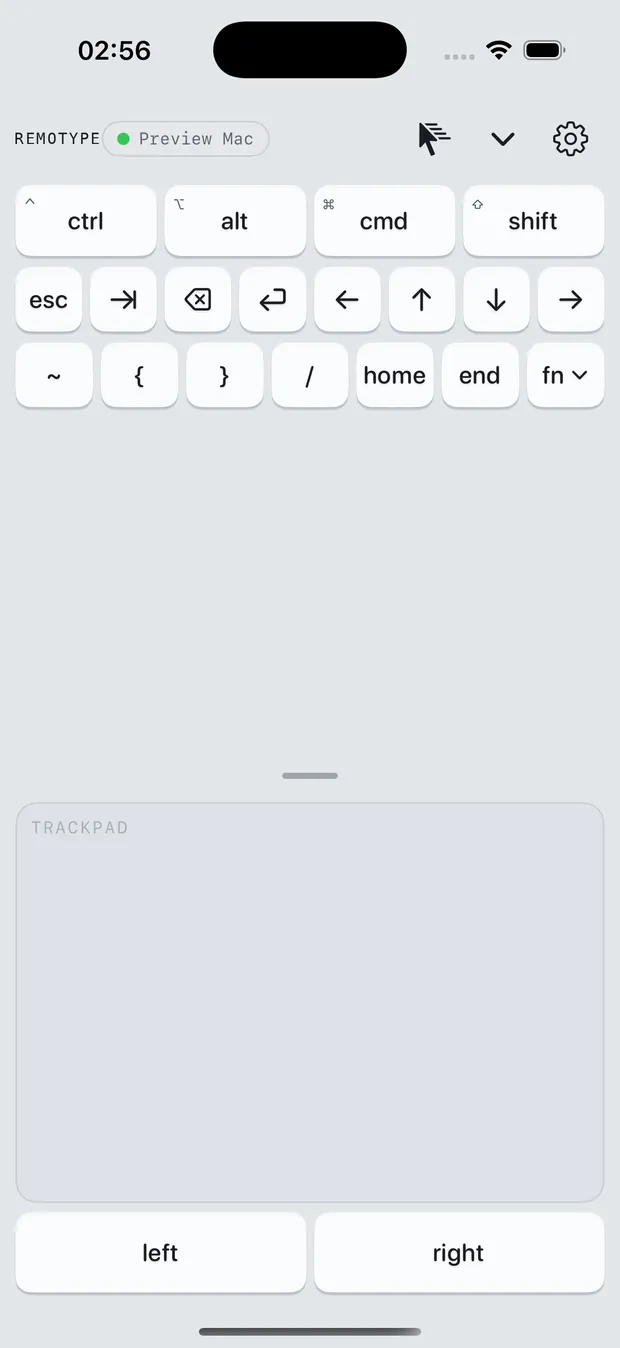
The trackpad
A pad the size of your screen. Tap to click, two fingers to scroll or right-click, pinch to zoom, hold a button to drag — with pointer speed tuned the way you like it.
- Resizable, full multi-touch
- Natural or traditional scrolling
- Keyboard + trackpad split view on Apple hosts
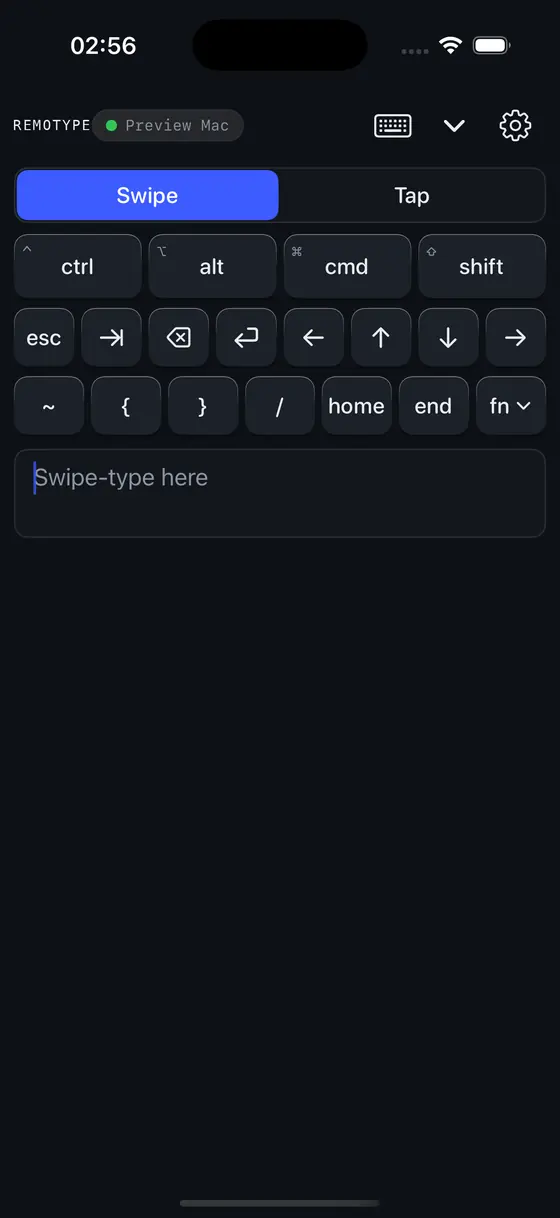
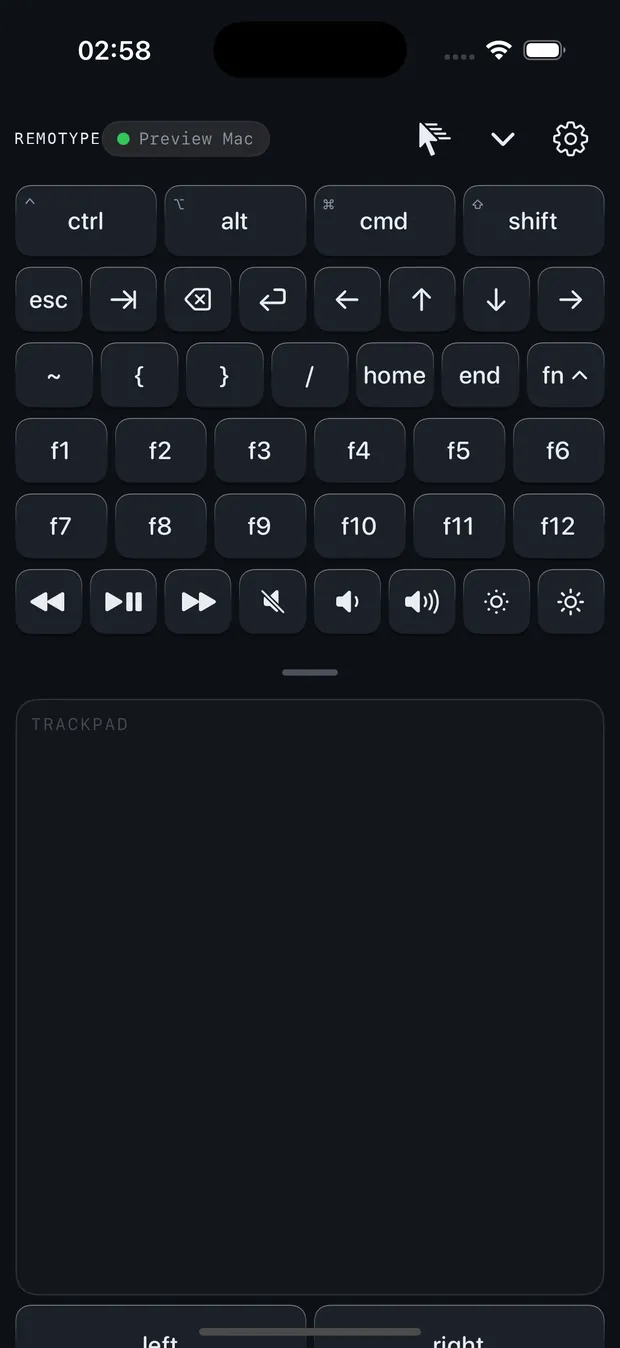
Dark, with everything in reach
A true dark deck for movie-night control, and an Fn drawer that slides out when you need F-keys, volume, brightness or playback — and disappears when you don't.
- Full dark mode, machined edge to edge
- F1–F12 + media keys in the drawer
- Haptics you can switch off
It types your passwords. So it collects nothing.
A keyboard app sees everything you type — which is exactly why Remotype sends keystrokes from your phone to your computer and nowhere else. No analytics, no telemetry, no accounts, no cloud, no ads. The whole policy fits on one page, in plain language.
Read the privacy policyGet Remotype
Put a keyboard in your pocket.
Free in beta, on Android and iPhone. Store listings are rolling out — until they're live, one email gets you in. The free Remotype Host for Mac and Windows (needed for iPhone only) will be downloadable right here.